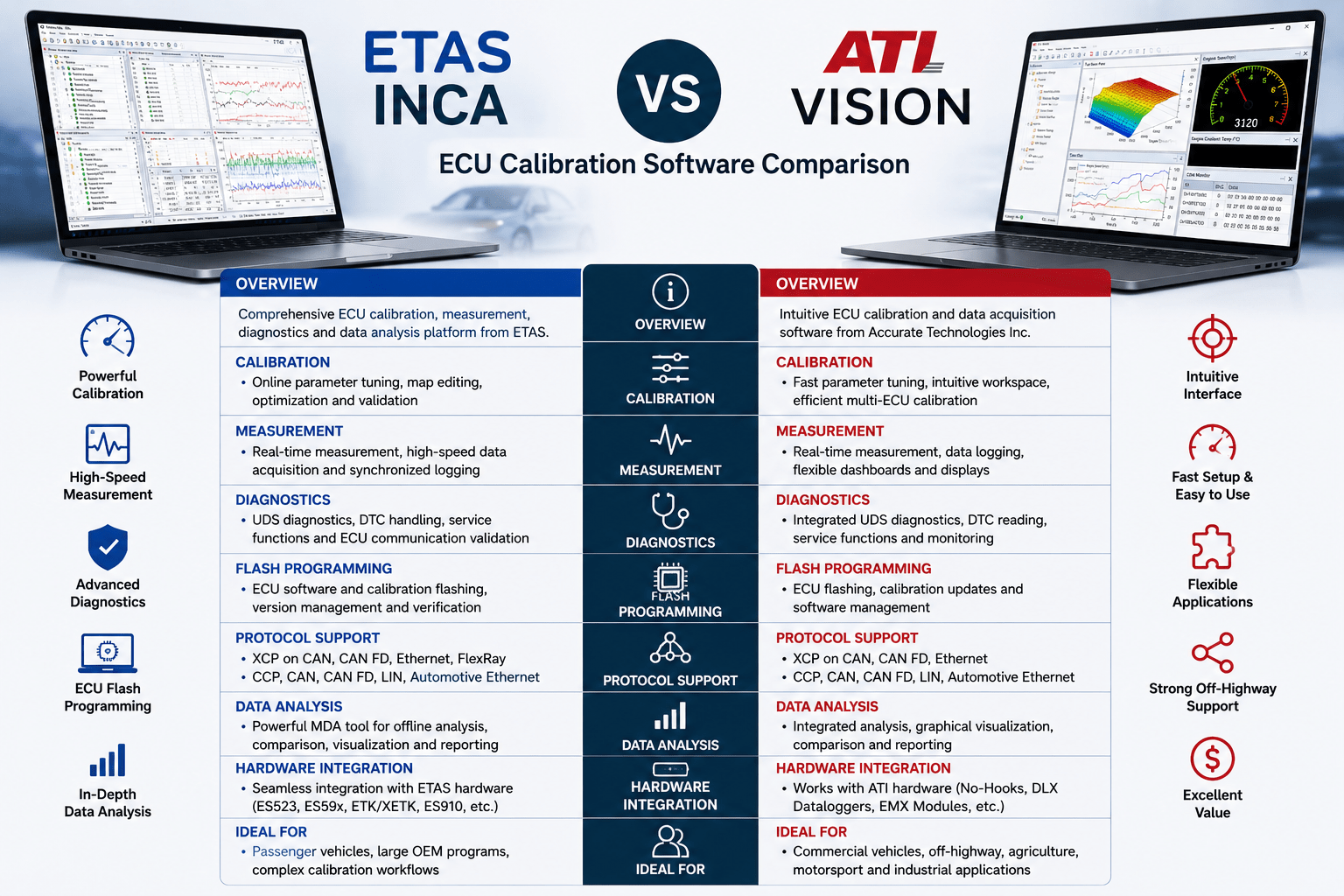
ECU calibration software plays a critical role in modern automotive development. Whether you’re optimizing an engine control unit, calibrating an electric vehicle battery management system, validating transmission software, or performing diagnostics, choosing the right calibration platform can significantly improve engineering productivity.
Two of the most widely recognized ECU calibration tools are ETAS INCA and ATI VISION. Both are professional-grade software platforms used by OEMs, Tier-1 suppliers, motorsport teams, and engineering organizations worldwide.
While both applications offer ECU calibration, measurement, diagnostics, flash programming, and data acquisition, they differ in workflow, hardware ecosystem, target industries, and overall user experience.
This article compares ETAS INCA and ATI VISION to help engineers understand where each platform excels.
Overview
ETAS INCA
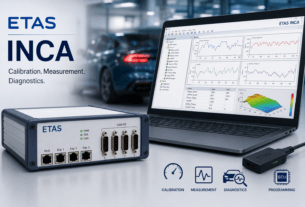
ETAS INCA is one of the most widely adopted ECU calibration platforms in the automotive industry. It provides a comprehensive environment for:
- ECU Calibration
- Measurement
- Diagnostics
- Flash Programming
- Data Analysis
INCA integrates closely with ETAS hardware such as ES523, ES59x measurement modules, and ETK/XETK ECU interfaces.
ATI VISION
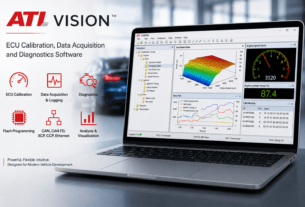
ATI VISION is a Windows-based ECU calibration and data acquisition platform developed by Accurate Technologies Inc.
VISION combines:
- ECU Calibration
- Data Acquisition
- Diagnostics
- Flash Programming
- Vehicle Network Analysis
It is widely used in automotive, commercial vehicle, off-highway, agriculture, construction equipment, and motorsport applications.
Feature Comparison
| Feature | ETAS INCA | ATI VISION |
|---|---|---|
| ECU Calibration | ✔ Excellent | ✔ Excellent |
| Real-Time Measurement | ✔ | ✔ |
| Diagnostics | ✔ | ✔ |
| Flash Programming | ✔ | ✔ |
| CAN Support | ✔ | ✔ |
| CAN FD Support | ✔ | ✔ |
| Automotive Ethernet | ✔ | ✔ |
| XCP Support | ✔ | ✔ |
| CCP Support | ✔ | ✔ |
| Multi-ECU Support | ✔ | ✔ |
| Custom Dashboards | ✔ | ✔ |
Verdict: Both platforms provide comprehensive calibration functionality suitable for modern ECU development.
User Interface
ETAS INCA
INCA provides a feature-rich engineering environment with extensive configuration options.
Advantages:
- Highly customizable experiments
- Powerful database management
- Deep integration with ETAS ecosystem
Potential considerations:
- Steeper learning curve for new users
- More configuration required for complex projects
ATI VISION
VISION focuses on a streamlined and intuitive user experience.
Advantages:
- Modern workspace layout
- Easy experiment creation
- Quick setup for measurements
- Flexible display configuration
Many engineers find VISION easier to learn, especially those new to ECU calibration software.
ECU Calibration
Both software platforms allow engineers to:
- Modify calibration parameters
- Tune ECU maps
- Optimize control algorithms
- Validate software changes in real time
ETAS INCA Strengths
- Mature calibration workflow
- Extensive OEM adoption
- Large ecosystem of calibration tools
ATI VISION Strengths
- Fast parameter editing
- Efficient workspace management
- Strong support for multi-ECU calibration
Verdict: Comparable capabilities for day-to-day calibration activities.
Measurement and Data Acquisition
Modern vehicle development depends heavily on synchronized measurement data.
Both platforms support:
- ECU variables
- CAN signals
- CAN FD signals
- Sensor measurements
- Data logging
- Offline analysis
ETAS INCA
Strong integration with:
- ES59x modules
- ES523 interface
- ETK/XETK hardware
ATI VISION
Excellent integration with:
- ATI and Third party CAN interfaces
- ATI Serial Interfaces
- ATI DLX dataloggers
- ATI EMX expansion modules
Verdict: Both provide high-performance measurement systems with hardware optimized for their respective ecosystems.
Diagnostics
Both tools include diagnostic capabilities for ECU development.
Supported functions include:
- UDS Diagnostics
- DTC Reading
- Service Functions
- ECU Identification
- Communication Validation
There is little practical difference for standard diagnostic workflows.
Flash Programming
Both ETAS INCA and ATI VISION support ECU flashing.
Typical applications include:
- ECU software updates
- Calibration downloads
- Validation testing
- Production software verification
Both tools support common flash file formats and integrate flashing into the development workflow.
Supported Communication Protocols
| Protocol | ETAS INCA | ATI VISION |
| XCP on CAN | ✔ | ✔ |
| XCP on CAN FD | ✔ | ✔ |
| XCP on Ethernet | ✔ | ✔ |
| CCP | ✔ | ✔ |
| CAN | ✔ | ✔ |
| CAN FD | ✔ | ✔ |
| LIN | ✔ | ✔ |
| FlexRay | ✔ | Supported (project dependent) |
| Automotive Ethernet | ✔ | ✔ |
Verdict: Both platforms support the communication protocols required for modern ECU development.
Hardware Ecosystem
ETAS Hardware
INCA integrates tightly with:
- ES523 CAN FD Interface Module
- ES59x Measurement Modules
- ETK/XETK Interfaces
- ES910 Rapid Prototyping Hardware
This ecosystem is particularly strong for passenger vehicle development and large OEM programs.
ATI Hardware
VISION integrates with:
- ATI and Third party CAN interfaces
- DLX Data Loggers
- EMX Measurement Modules
ATI hardware is known for its flexibility and strong adoption in off-highway, motorsport, and commercial vehicle applications.
Data Analysis
ETAS INCA
Uses MDA (Measure Data Analyzer)
Features include:
- Advanced signal comparison
- Statistical analysis
- Event detection
- Report generation
ATI VISION
Provides integrated analysis tools including:
- Graphical visualization
- Data comparison
- Signal synchronization
- Custom reports
Both solutions provide comprehensive post-processing capabilities.
Industry Adoption
ETAS INCA
Widely used by:
- Passenger vehicle OEMs
- Tier-1 suppliers
- Electric vehicle manufacturers
- Global automotive engineering organizations
ATI VISION
Widely used by:
- Commercial vehicle manufacturers
- Construction equipment OEMs
- Agricultural machinery companies
- Motorsport organizations
- Industrial engine manufacturers
Advantages of ETAS INCA
- Mature and widely established platform
- Extensive OEM adoption
- Strong ETK/XETK support
- Excellent MDA analysis tools
- Large ecosystem of ETAS hardware
Advantages of ATI VISION
- Intuitive and user-friendly interface
- Fast workspace creation
- Integrated diagnostics and data logging
- Excellent support for off-highway applications
- Competitive total cost of ownership
- Flexible hardware integration
Comparison Summary
| Category | ETAS INCA | ATI VISION |
| Ease of Learning | ★★★★☆ | ★★★★★ |
| ECU Calibration | ★★★★★ | ★★★★★ |
| Data Acquisition | ★★★★★ | ★★★★★ |
| Diagnostics | ★★★★★ | ★★★★★ |
| Data Analysis | ★★★★★ | ★★★★☆ |
| Hardware Ecosystem | ★★★★★ | ★★★★☆ |
| Off-Highway Applications | ★★★★☆ | ★★★★★ |
| Passenger Vehicle Development | ★★★★★ | ★★★★☆ |
| Value for Money | ★★★★☆ | ★★★★★ |
Which Software Should You Choose?
Choose ETAS INCA if:
- You primarily work with passenger vehicle OEMs.
- Your organization already uses ETAS hardware.
- You require extensive integration with ETK/XETK interfaces.
- You rely heavily on advanced offline analysis with MDA.
- Your projects involve complex OEM calibration workflows.
Choose ATI VISION if:
- You want a modern, intuitive calibration environment.
- You work in commercial vehicles, off-highway equipment, agriculture, or motorsport.
- You need integrated data logging and diagnostics.
- You value fast setup and ease of use.
- You are looking for a strong balance of capability and total cost of ownership.
Final Thoughts
ETAS INCA and ATI VISION are both highly capable ECU calibration platforms that meet the demands of modern vehicle development. Both support real-time calibration, diagnostics, flash programming, CAN FD, XCP, and high-speed data acquisition.
For organizations deeply invested in the ETAS ecosystem, INCA remains a leading choice due to its mature workflow and broad OEM adoption. On the other hand, ATI VISION stands out with its intuitive interface, integrated workflow, flexibility, and strong presence in commercial and off-highway applications.
Ultimately, the best choice depends on your existing hardware ecosystem, project requirements, and engineering workflow rather than one platform being universally better than the other.