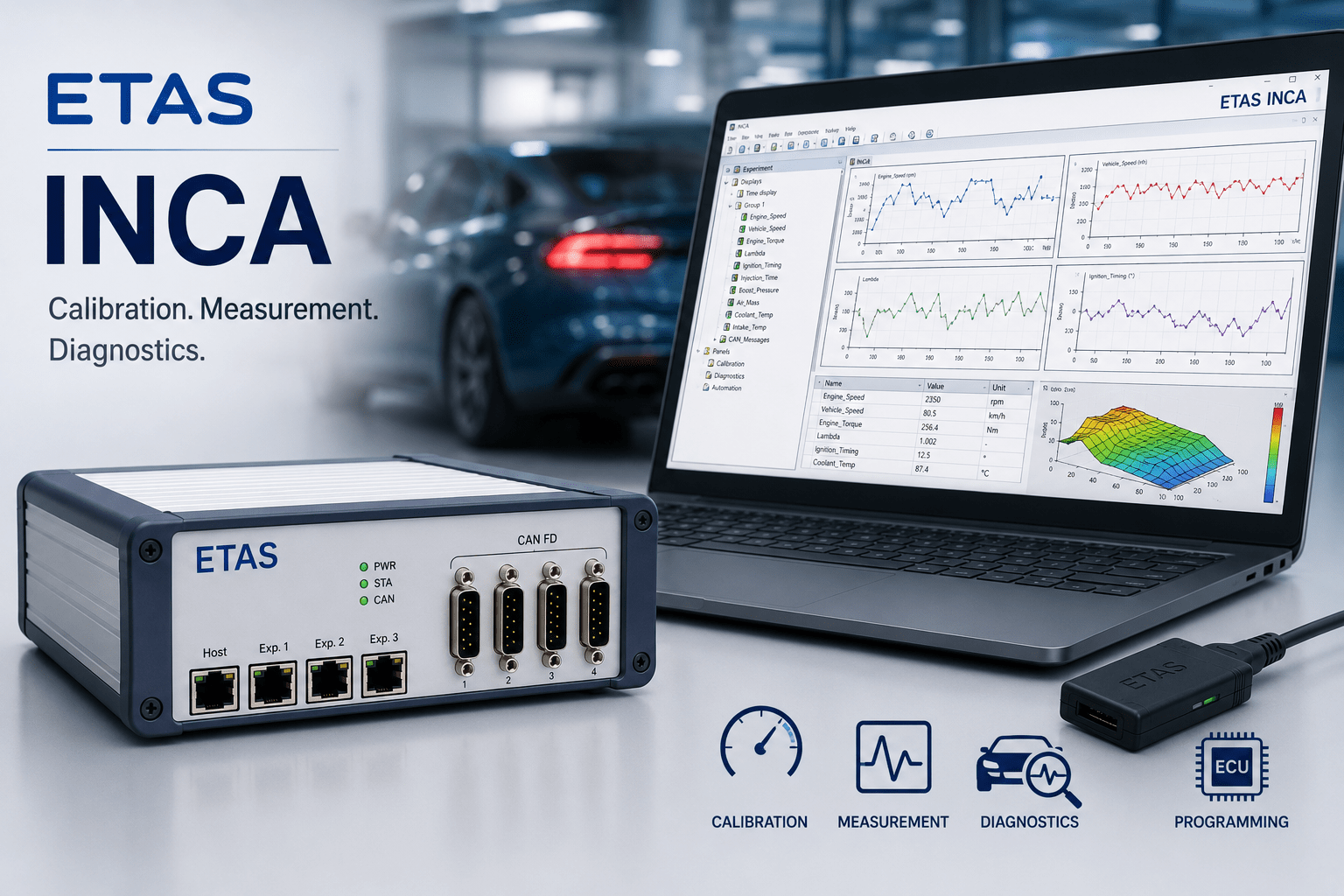
Modern vehicles contain dozens of Electronic Control Units (ECUs) responsible for controlling powertrain, chassis, body electronics, ADAS, and electrification systems. Developing and calibrating these ECUs requires powerful software capable of measuring internal ECU variables, modifying calibration parameters, performing diagnostics, and validating vehicle behavior.
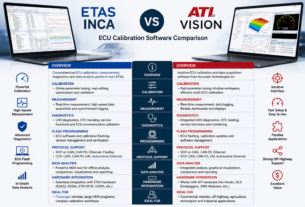
ETAS INCA (Integrated Calibration and Acquisition System) is one of the most widely used ECU calibration and measurement tools in the automotive industry. Trusted by OEMs, Tier-1 suppliers, and engineering service providers worldwide, INCA provides a comprehensive environment for ECU calibration, diagnostics, flash programming, measurement, and validation.
Whether developing an internal combustion engine, hybrid vehicle, electric vehicle, or autonomous driving system, ETAS INCA enables engineers to efficiently optimize ECU performance throughout the development lifecycle.
What is ETAS INCA?
ETAS INCA is a software platform designed for:
- ECU Calibration
- Measurement and Data Acquisition
- Diagnostics
- Flash Programming
- Validation Testing
- Functional Verification
The software allows engineers to connect to ECUs, monitor internal variables in real time, modify calibration parameters, record measurement data, and analyze system behavior.
INCA supports a wide range of communication protocols and hardware interfaces, making it suitable for virtually every stage of ECU development.
Key Features of ETAS INCA
Real-Time ECU Calibration
One of INCA’s primary functions is ECU calibration.
Calibration engineers can:
- Modify calibration parameters online
- Optimize engine performance
- Tune fuel injection systems
- Adjust torque management strategies
- Calibrate transmission control systems
- Optimize battery management systems
Changes can be applied immediately while the ECU is running, enabling faster development cycles.
Measurement and Data Acquisition
INCA provides powerful measurement capabilities that allow engineers to monitor:
- ECU variables
- Sensor values
- Actuator signals
- CAN messages
- CAN FD messages
- Ethernet communication
Engineers can record large amounts of data during:
- Vehicle testing
- Dynamometer testing
- Road testing
- Endurance testing
ECU Diagnostics
INCA includes diagnostic functionality for ECU verification and troubleshooting.
Supported capabilities include:
- UDS Diagnostics
- DTC Reading
- Fault Analysis
- Diagnostic Session Control
- ECU Communication Validation
This enables engineers to identify and resolve software and communication issues quickly.
ECU Flash Programming
INCA supports ECU reprogramming using:
- ODX-F
- HEX Files
- S19 Files
- Binary Files
Flash programming allows engineers to:
- Update application software
- Load new calibration datasets
- Test software releases
- Validate ECU functionality
Experiment Environment
The Experiment Environment provides a user-friendly interface for:
- Measuring signals
- Creating dashboards
- Recording data
- Monitoring ECU parameters
Engineers can customize layouts using:
- Oscilloscopes
- Numerical displays
- Gauges
- Tables
- Bar graphs
- Signal plots
This flexibility makes INCA suitable for both laboratory and vehicle testing.
Supported Communication Protocols
One of INCA’s major strengths is its broad protocol support.
ECU Access Protocols
CCP (CAN Calibration Protocol)
Widely used for ECU measurement and calibration over CAN networks.
XCP (Universal Measurement and Calibration Protocol)
Supported on:
- CAN
- CAN FD
- Ethernet
- FlexRay
XCP has become the preferred protocol for modern ECU development.
ETK / XETK
Provides direct high-speed ECU access.
Benefits include:
- Faster measurement rates
- Reduced bus load
- High-performance calibration
Vehicle Network Protocols
INCA supports:
- CAN
- CAN FD
- FlexRay
- LIN
- Automotive Ethernet
This allows engineers to work with both legacy and next-generation vehicle architectures.
Technical Architecture
Software Components
INCA consists of several modules:
Experiment Environment
Used for measurement and calibration activities.
Database Manager
Manages:
- A2L files
- HEX files
- Calibration datasets
MDA (Measure Data Analyzer)
Used for offline analysis of recorded data.
INCA-FLOW
Supports workflow automation and process integration.
Hardware Integration
INCA works seamlessly with ETAS hardware products such as:
ES523 CAN FD Interface Module
Provides:
- 4 CAN FD channels
- Ethernet connectivity
- Synchronization capabilities
ES59x Measurement Modules
Used for:
- Voltage measurements
- Temperature measurements
- Current measurements
ES910 Rapid Prototyping Hardware
Supports rapid ECU development and validation.
Typical Applications
Engine Calibration
Engine calibration engineers use INCA to optimize:
- Fuel injection
- Ignition timing
- Air-fuel ratio
- Turbocharger control
- Emissions performance
Transmission Calibration
Applications include:
- Shift quality optimization
- Torque converter calibration
- Clutch control tuning
Electric Vehicle Development
INCA is widely used for:
- Battery management systems (BMS)
- Inverter control
- Motor control
- Energy management
Hybrid Vehicle Calibration
Engineers can calibrate:
- Energy distribution strategies
- Regenerative braking
- Hybrid control algorithms
ADAS and Autonomous Systems
INCA enables:
- Sensor validation
- ECU verification
- Communication analysis
- Data acquisition
INCA MDA: Advanced Data Analysis
Measure Data Analyzer (MDA) is one of the most powerful components within the INCA ecosystem.
Features include:
- Signal comparison
- Event detection
- Statistical analysis
- Visualization tools
- Automated reporting
Engineers can compare multiple test runs to identify calibration improvements and system behavior changes.
Benefits of ETAS INCA
Industry Standard
INCA is used by most global automotive OEMs and Tier-1 suppliers.
Scalable Platform
Suitable for:
- Single ECU projects
- Vehicle-level calibration
- Large development programs
Extensive Protocol Support
Supports virtually all major automotive communication protocols.
Powerful Data Analysis
Integrated tools enable efficient calibration and validation workflows.
Future-Proof Architecture
Supports modern technologies including:
- CAN FD
- Automotive Ethernet
- Electric Vehicle Platforms
- Software-Defined Vehicles
ETAS INCA vs Traditional ECU Tools
| Feature | ETAS INCA | Basic ECU Tool |
|---|---|---|
| ECU Calibration | Advanced | Limited |
| Measurement Capability | Extensive | Basic |
| Diagnostics | Integrated | Separate Tool Required |
| Flash Programming | Yes | Often Limited |
| CAN FD Support | Yes | Varies |
| Ethernet Support | Yes | Limited |
| Data Analysis | Advanced MDA | Basic |
| OEM Adoption | Very High | Low |
Why Engineers Choose ETAS INCA
For over two decades, ETAS INCA has remained one of the most trusted ECU development tools in the automotive industry.
Engineers choose INCA because it offers:
- Comprehensive calibration functionality
- Real-time measurement capabilities
- Advanced diagnostics
- Seamless hardware integration
- Extensive protocol support
- Proven reliability in production vehicle development
Its flexibility allows development teams to move efficiently from ECU prototyping to production validation.
Conclusion
ETAS INCA has established itself as one of the most powerful and widely adopted tools for ECU calibration, measurement, diagnostics, and validation. With support for modern communication protocols, advanced data acquisition, flash programming, and comprehensive analysis tools, it remains an essential platform for automotive development.
As vehicles continue to evolve toward electrification, connectivity, and software-defined architectures, ETAS INCA provides engineers with the tools needed to develop, calibrate, and validate increasingly complex ECU systems efficiently and accurately.